


How to Generate an SSH key.
There are several ways to create an SSH key if you don’t already have one, for this guide we will use putty key gen, but they can be created from the command prompt in Windows and other applications.
- Donwload Putty if not already installed on your desktop or laptop.
- Locate and launch PuttyKey Generator.
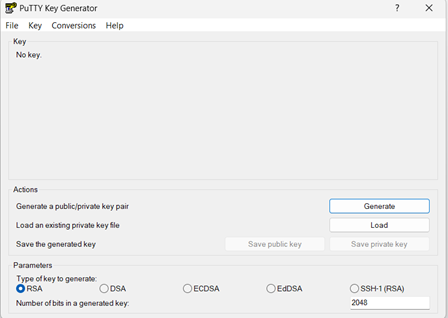
- Choose the type of key to generate (we have used RSA).
- Click on Generate and follow the instructions, this will generate your SSH key, as shown below:
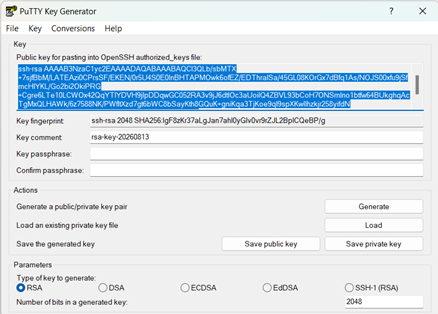
- You have the option to enter a passphrase for an added level of security but make sure you remember / store this securely.
- Save the public and private key to a secure location on your computer or the cloud.